Safe CPU Temperature: How It Matters
A safe CPU temperature is essential for keeping your computer fast and healthy. Most CPUs stay safe between 30°C and 50°C when idle, and between 60°C and 80°C during gaming or heavy work. If the temperature rises, your PC may slow down, crash, or experience reduced performance. To keep your CPU cool, clean the dust, use good airflow, replace old thermal paste, and avoid blocking vents. Checking temperatures often helps you fix problems early. When your CPU stays in a safe range, your system lasts longer, runs smoother, and works more reliably every day.
What Is a Safe CPU Temperature?
A safe CPU temperature is the temperature at which your processor can run smoothly without slowing down or being damaged. Every CPU produces heat, but when the temperature goes above the safe range, your system may lag, freeze, or shut down. Keeping your CPU in the safe zone helps your computer work faster, last longer, and stay stable. Understanding safe temperatures is the first step in protecting your device from overheating problems and unexpected failures.
Why CPU Temperature Matters for Performance
Your CPU acts like the “brain” of your computer. When it gets too hot, it cannot work at full speed. High heat forces the CPU to reduce its performance to protect itself. It is called thermal throttling. If the temperature remains high for a long time, your system may become slow, noisy, and unreliable. A safe temperature means better performance, smoother gaming, and a longer PC lifespan.
Normal Temperature Ranges for Modern CPUs
Every CPU comes with its own safe range, but here are common temperature guidelines:
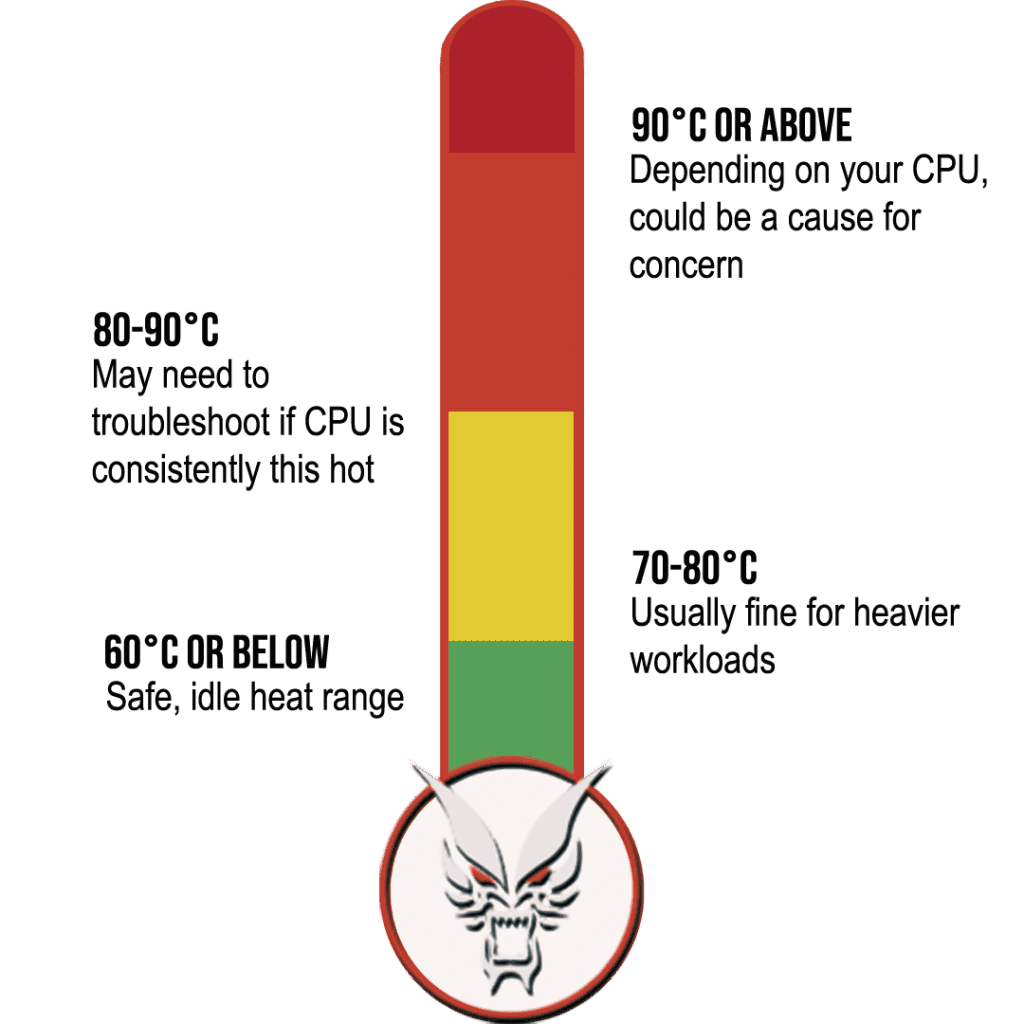
- Idle: 30°C to 50°C
- Normal load: 50°C to 70°C
- Gaming / Heavy use: 60°C to 80°C
- Maximum limit: 90°C to 100°C (avoid reaching this)
Staying within these numbers ensures your CPU stays healthy and performs well.
Recommended Safe CPU Temperature for Different Uses
Safe CPU Temperature When Idle
A safe idle temperature usually stays between 30°C and 50°C.
If your CPU is idle but still stays above 55°C, you may have issues such as:
- Dust build-up
- Poor airflow
- Background apps are consuming CPU
Idle temperatures above 60°C should not be ignored.
Safe CPU Temperature While Gaming
During gaming, it is normal for the CPU to heat up. A safe range is:
- 60°C to 80°C
More powerful CPUs may reach 85°C, but anything higher may cause overheating. If your PC becomes loud or lags during gaming, your temperature may be too high.
Safe CPU Temperature Under Heavy Load
When rendering videos, editing, or multitasking with heavy apps, CPUs work harder. A safe load temperature is:
- 65°C to 80°C
Crossing 90°C is a warning sign that you need to improve cooling immediately.
Maximum Temperature Limit Before Damage
- Most CPUs shut down automatically around 95°C to 100°C to avoid damage.
- But repeated exposure to high heat reduces CPU life.
- Keeping temperatures below 85°C is best for long-term use.
Safe CPU Temperature for Popular CPU Brands
Intel Safe CPU Temperature Guide
Most Intel CPUs operate safely at:
- Idle: 30°C – 45°C
- Gaming: 65°C – 80°C
- Limit: 100°C (but avoid above 85°C)
Intel processors are designed to handle heat but still perform best when cool.
AMD Safe CPU Temperature Guide
AMD Ryzen CPUs have similar ranges:
- Idle: 35°C – 50°C
- Gaming: 60°C – 85°C
- Limit: 95°C
Ryzen chips can handle higher temperatures but keeping them cooler increases stability.
Laptop CPU Temperature vs Desktop Temperature
Laptops naturally run hotter due to small space and limited airflow.
- Laptop Safe Range: 40°C – 90°C
- Desktop Safe Range: 30°C – 80°C
If your laptop gets too hot, consider a cooling pad and better ventilation.
How to Check Your CPU Temperature Accurately
Best Free Tools to Monitor CPU Heat
You can check CPU heat using free tools:
- HWMonitor
- Core Temp
- HWiNFO
- MSI Afterburner (for gamers)
- Open Hardware Monitor
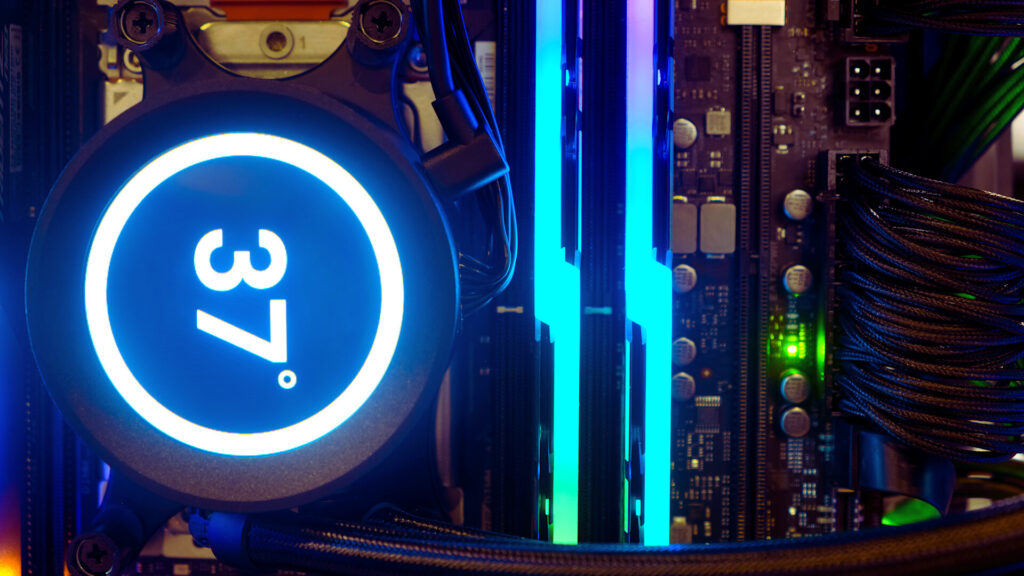
These tools show live temperature readings so you can track performance safely.
How to Read Temperature Data Correctly
Look at:
- Current Temperature
- Minimum / Maximum Temperature
- Average Temperature
- Temperature spikes during load
If temps rise too fast or stay high for long, your cooling needs attention.
Why Your CPU Temperature Gets Too High
Common Causes of Overheating
- Dust blocking airflow
- Weak or old thermal paste
- Poor-quality CPU cooler
- Hot room temperature
- Too many apps running
- Bad airflow inside PC case
Small issues can turn into big overheating problems if ignored.
Signs Your CPU Is Running Too Hot
- System slowing down
- Fan noise getting loud
- Games lagging
- Sudden shutdowns
- PC feeling unusually warm
These symptoms mean your CPU is under stress.
Risks of Using a High-Temperature CPU
- Shorter CPU lifespan
- Damage to motherboard
- Random crashes
- Lower performance
- Higher power usage
Keeping your CPU cool protects your entire computer.
How to Keep Your CPU Temperature Safe
Improve Airflow Inside Your PC Case
Good airflow can drop temperatures instantly.
Tips:
- Keep at least one intake and one exhaust fan
- Use clean, high-quality fans
- Avoid blocking vents
Proper airflow ensures cool air reaches your CPU.
Importance of Cleaning Dust Regularly
Dust is the biggest enemy of cooling.
Clean your PC every 2–3 months to prevent airflow blockage.
How Thermal Paste Helps Cooling
Thermal paste fills microscopic gaps between CPU and cooler.
- Replace every 1–2 years
- Use high-quality paste
- Apply a pea-sized dot
Fresh paste alone can reduce temperatures by 5–10°C.
When to Upgrade Your CPU Cooler
Upgrade if:
- You use a stock cooler
- You play heavy games
- You do video editing or 3D work
- Your temperature stays above 85°C
Better cooling = better performance.
Best Ways to Reduce Heat on Laptops
- Use a cooling pad
- Avoid using laptops on beds or cushions
- Keep vents open
- Reduce background apps
- Clean fans regularly
Laptops need space to breathe.
Safe CPU Temperature Chart (Quick Reference)
| Usage Type | Safe Temperature |
|---|---|
| Idle | 30°C – 50°C |
| Normal Use | 50°C – 65°C |
| Gaming | 60°C – 80°C |
| Heavy Tasks | 70°C – 85°C |
| Danger Zone | 90°C+ |
Keep this chart as a quick guide.
How to Fix a High CPU Temperature Quickly
Step-by-Step Solutions for Beginners
- Restart your computer
- Close unused apps
- Clean dust from vents
- Improve fan airflow
- Check thermal paste
- Keep PC in a cool room
These simple steps fix most heat problems.
Advanced Cooling Tips for Experienced Users
- Undervolt CPU
- Add liquid cooling
- Upgrade case fans
- Improve cable management
- Install custom fan curves
Advanced cooling gives the best results for gamers and creators.
Does Room Temperature Affect CPU Heat?
Yes, Hot weather increases CPU heat.
Ideal room temperature:
- 18°C to 24°C
If your room is hot, your CPU will always run hotter.
Ideal Room Temperature for Better Performance
Keeping your room cool improves performance, reduces fan noise, and extends CPU life.
When You Should Worry About CPU Temperature
Warning Signs You Should Not Ignore
- CPU stays above 85°C for a long time
- Fans run at full speed
- Games drop FPS often
- PC restarts suddenly
If you see these signs, fix the cooling immediately.
Long-Term Effects of High CPU Heat
- Slower computer
- Shorter CPU lifespan
- More power usage
- Heat damage to internal parts
Maintaining a safe temperature prevents costly repairs.
FAQs
What Is the Maximum Safe CPU Temp?
Most CPUs have a limit around 95°C–100°C, but avoid going above 85°C.
Does High Temperature Reduce CPU Life?
Yes, Long-term overheating reduces performance and hardware life.
How Often Should I Check CPU Temperature?
Check weekly if you game or do heavy tasks; monthly if you use it normally.
Is 40°C to 50°C idle temperature good for a CPU?
Yes, this range is considered very safe. It shows your PC has good airflow, clean fans, and no heavy apps running in the background.
Does gaming increase CPU temperature?
Yes, gaming uses more CPU power, so temperatures naturally rise. A safe gaming temperature stays between 60°C and 80°C.
Is 90°C harmful for a CPU?
90°C is high and unsafe for long periods. Your CPU will slow down or shut off to protect itself. Fix cooling issues immediately.
Can a dirty PC cause high CPU temperature?
Absolutely, Dust blocks airflow, traps heat, and makes fans work harder. Cleaning dust can lower temperatures by 5°C–15°C.
Is liquid cooling better than air cooling?
Yes, liquid cooling can reduce heat more effectively, especially for gaming or heavy tasks. But a quality air cooler also works well for most users.
Final Thoughts on Maintaining a Safe CPU Temperature
Keeping your CPU cool is one of the easiest ways to protect your computer and improve performance. With regular cleaning, good airflow, and proper cooling, your system will run smoother, faster, and more reliably for years. A safe CPU temperature also helps you avoid shutdowns, lag, and expensive repairs. Make temperature monitoring a habit, and your PC will always perform at its best.