How to Undervolting CPU – Simple Guide for Everyone
How to undervolting CPU is one of the safest and most effective ways to reduce high temperatures, improve battery life, and keep your computer running smoothly for a long time. Many users experience overheating, loud fan noise, sudden performance drops, or rapid battery drain. These issues usually happen because the CPU uses more power than it actually needs.
CPU undervolting solves this problem by lowering the processor’s voltage without reducing its speed or performance. When done correctly, it helps the CPU stay cool, use less power, and work more efficiently. The best part is that you do not need advanced technical skills to understand how to undervolting CPU safely.
In this complete guide, you will learn what CPU undervolting means, why it is useful, how it works on Intel and AMD processors, and how to do it step by step.
What Is CPU Undervolting?
Simple Meaning of CPU Undervolting
CPU undervolting means reducing the voltage supplied to your processor while maintaining the same speed and performance. Every CPU is designed to operate within a safe voltage range, but many processors use more voltage than is necessary.
By carefully lowering the voltage, the CPU produces less heat, consumes less power, and runs more efficiently.
Featured snippet answer:
CPU undervolting is the process of lowering CPU voltage to reduce heat and power usage without reducing performance.
Undervolting vs Overclocking (Key Difference)

Undervolting and overclocking are opposite ideas.
- Undervolting:
- Focuses on efficiency, lower temperature, and stability.
- Overclocking:
- Increases CPU speed, heat, and power usage.
If your goal is a cooler, quieter, and longer‑lasting system, undervolting is the better and safer choice.
Why Should You Undervolt Your CPU?
Reduce CPU Temperature
Lower voltage means less heat. Many users see a 5–15°C temperature reduction after undervolting. It helps prevent overheating and thermal throttling.
Improve Battery Life (Especially for Laptops)
Undervolting reduces power draw, which helps laptops run longer on battery. It is beneficial for students, office users, and travellers.
Lower Fan Noise and Heat
When the CPU stays cool, fans do not need to spin fast. It makes your system quieter and more comfortable to use.
Prevent Thermal Throttling
Thermal throttling happens when the CPU slows down to protect itself from heat. Undervolting keeps temperatures under control, so performance stays stable.
Increase Long‑Term CPU Life
Lower heat and power consumption can help your CPU and motherboard last longer.

Is CPU Undervolting Safe?
Does Undervolting Damage the CPU?
No. CPU undervolting is safe when done correctly. It does not damage hardware because you are reducing power, not increasing it.
Common Myths About CPU Undervolting
- Undervolting reduces performance
- Undervolting harms the CPU
- Only experts can undervolt
These are myths. When done correctly, undervolting keeps performance the same or even more stable.
When Undervolting Is Not Recommended
- If your system is already unstable
- If BIOS or software undervolting is locked
- If you do not want to test stability
In these cases, it is better to avoid undervolting.
How to Undervolting CPU – Step‑by‑Step
Things to Do Before Undervolting
Before starting:
- Update your system drivers
- Monitor CPU temperature
- Close unnecessary background apps
- Backup important data (for safety)
Best Tools for CPU Undervolting
Here are trusted tools used by millions of users:
Intel XTU
Best for Intel CPUs. Simple interface and beginner‑friendly.
ThrottleStop
An advanced tool for Intel laptops. Offers fine control.
AMD Ryzen Master
Official tool for AMD Ryzen CPUs. Safe and reliable.
How to Undervolt Intel CPU
- Install Intel XTU or ThrottleStop
- Reduce CPU Core Voltage Offset slowly (‑0.050V start)
- Apply settings
- Test system stability
- Repeat until stable
How to Undervolt AMD CPU
- Open AMD Ryzen Master
- Enable manual voltage control
- Reduce voltage in small steps
- Stress test after every change
How Much Voltage Should You Reduce?
There is no fixed number. Every CPU is different.
- Start small (‑0.025V to ‑0.050V)
- Test stability
- Stop when you see crashes or errors
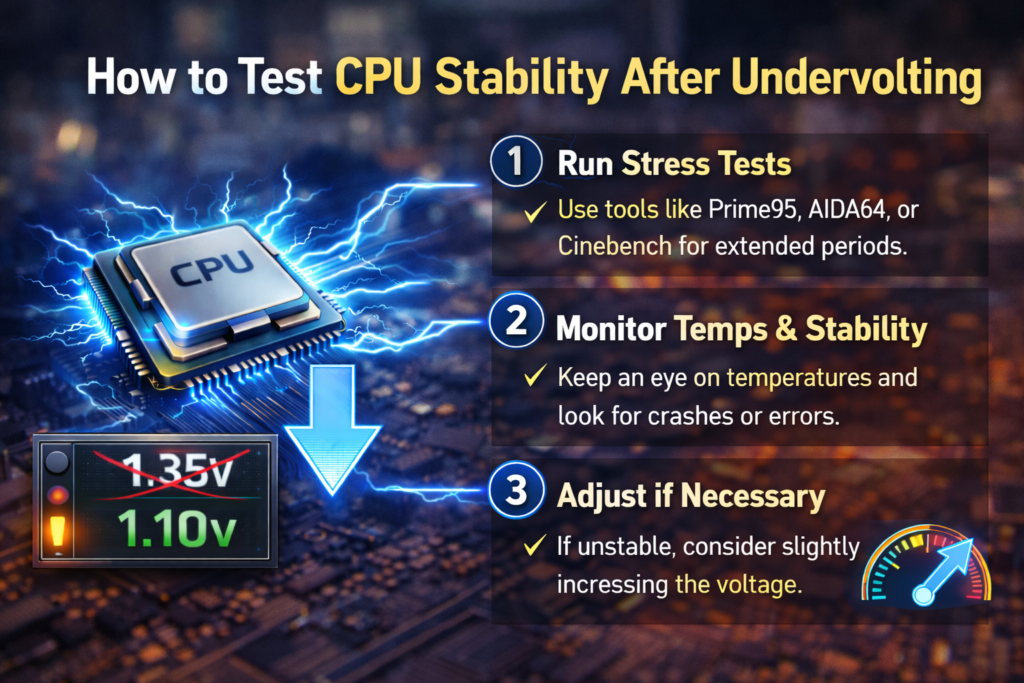
How to Test CPU Stability After Undervolting
Best Stress Testing Tools
- Cinebench
- Prime95
- AIDA64
These tools check if your CPU is stable under load.
Signs of Stable Undervolting
- No crashes or freezing
- Normal temperatures
- Same or better performance
What to Do If System Crashes
If the system crashes:
- Restart
- Reduce the undervolt amount
- Apply the last stable settings
CPU Undervolting for Laptops
Is Undervolting Good for Laptops?
Yes. Laptops benefit most from limited cooling and small battery sizes.
Best Settings for Laptop CPUs
Laptop CPUs usually handle ‑0.080V to ‑0.120V, but results vary.
Battery and Temperature Improvements
Users often see:
- Longer battery life
- Cooler keyboard area
- Less fan noise
CPU Undervolting for Gaming PCs
Does Undervolting Affect Gaming Performance?
No. Gaming performance usually stays the same or becomes more stable.
FPS vs Temperature After Undervolting
Lower temperature helps maintain consistent FPS during long gaming sessions.
Best Practice for Gamers
Undervolt first, then test the games you play the most.
CPU Undervolting Pros and Cons
Advantages of CPU Undervolting
- Lower temperatures
- Better battery life
- Quiet system
- Improved efficiency
Disadvantages and Limitations
- Requires testing time
- Results vary by CPU
- Possible instability if pushed too far
Standard CPU Undervolting Problems and Fixes
Blue Screen or Crash Issue
Cause: Too much voltage reduction
Fix: Increase voltage slightly
System Not Booting After Undervolting
Fix: Reset BIOS or remove software settings.
How to Reset Undervolting Settings
- Uninstall the undervolting tool
- Reset BIOS to default
CPU Undervolting vs Underclocking
Which One Is Better and Why?
- Undervolting: Keeps performance, improves efficiency
- Underclocking: Reduces performance
Undervolting is better for most users.
FAQs
Can Undervolting Increase Performance?
Indirectly, yes — by reducing throttling and heat.
Is Undervolting Permanent?
No, Settings can be changed or removed at any time.
Do I Need BIOS Access for Undervolting?
Not always. Many tools work inside Windows.
Is CPU Undervolting Legal and Safe?
Yes, in most cases, it does not violate any rules or warranties.
Expert Tips for Safe CPU Undervolting
Best Practices from Real Experience
- Reduce the voltage slowly
- Test after every change
- Monitor temperatures regularly
Mistakes Beginners Should Avoid
- Large voltage drops
- Skipping stress tests
- Copying settings unthinkingly
Final Thoughts: Should You Undervolt Your CPU?
If your CPU runs hot or loud, or drains the battery quickly, learning to undervolt it is an innovative and safe solution. It improves efficiency without risk when done correctly. With patience and testing, undervolting can make your system cooler, quieter, and more reliable for years.