CPU Machine Check Architecture Error Dump: Symptoms, Causes & Solutions

A CPU Machine Check Architecture Error Dump is a hardware-level error report generated when the processor detects a critical internal issue that it cannot correct automatically. Modern CPUs from Intel and AMD include Machine Check Architecture as a built-in mechanism to monitor hardware health and report serious faults to the operating system.
When such an error occurs, the system may crash, freeze, restart unexpectedly, or display a blue screen error. The error dump contains technical details that help identify the source of the problem, making it essential for diagnosing hardware instability.
Understanding Machine Check Architecture (MCA)
Machine Check Architecture is a diagnostic feature integrated into modern processors. It continuously monitors CPU components, including caches, memory controllers, internal buses, and execution units. If a severe fault is detected, the CPU records error data in special registers and notifies the operating system.
This mechanism is designed to protect the system from silent data corruption and catastrophic hardware failures.
Why CPUs Generate Error Dumps
CPUs generate error dumps to:
- Prevent data corruption
- Alert the operating system about critical failures
- Assist in troubleshooting hardware problems
- Safely halt the system when the risk of damage is high
These dumps are primarily intended for engineers, system administrators, and advanced users to analyze hardware health.
Common Symptoms of CPU Machine Check Architecture Errors

System Crashes and Blue Screen Errors
One of the most common symptoms is a sudden system crash or a Blue Screen of Death (BSOD), often labeled as WHEA_UNCORRECTABLE_ERROR on Windows systems.
Unexpected System Restarts
The computer may restart without warning, especially during heavy workloads such as gaming, rendering, or compiling code.
Performance Freezes and Lag
Temporary freezes, random slowdowns, or system hangs can indicate early hardware instability before a complete crash occurs.
Error Messages in System Logs
System logs may show messages such as “Machine Check Exception,” “Hardware Error,” or “CPU MCA Error.”
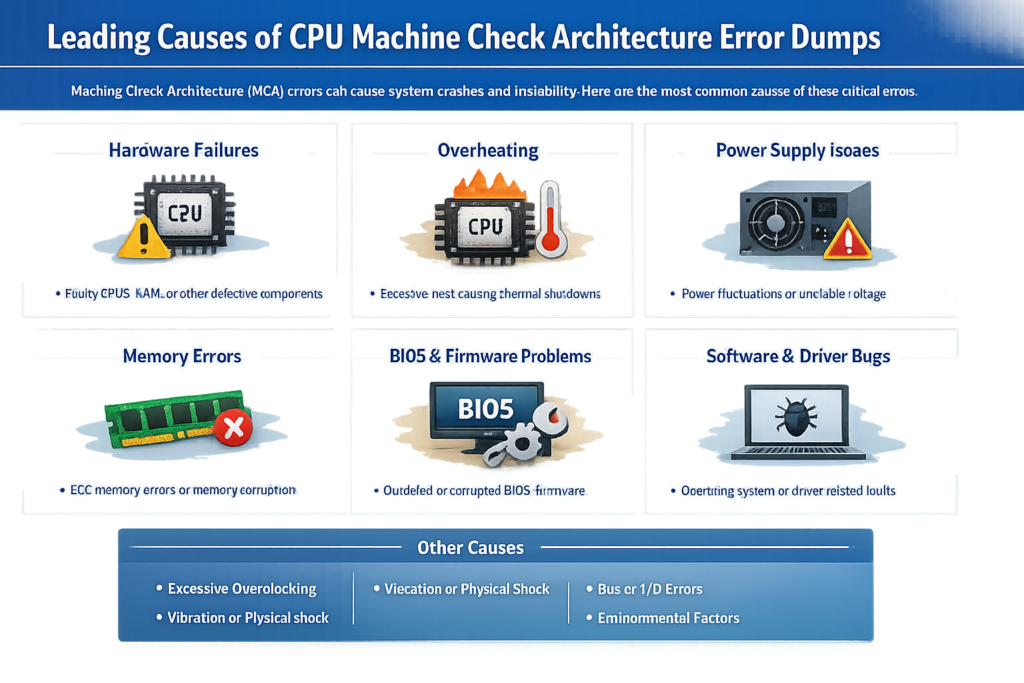
Leading Causes of CPU Machine Check Architecture Error Dumps
CPU Overheating Issues
Excessive heat is one of the most frequent causes. Poor cooling, dust buildup, failing fans, or dried thermal paste can cause the CPU to overheat and trigger MCA errors.
Faulty or Unstable RAM
Defective or incompatible memory modules can cause CPU-detected memory access errors.
Power Supply and Voltage Problems
An unstable or low-quality power supply can cause voltage fluctuations, which can affect CPU stability.
CPU Overclocking and Hardware Stress
Overclocking pushes the CPU beyond its designed limits, increasing the risk of machine check errors if voltages or temperatures are not properly managed.
Outdated BIOS or Firmware
An outdated BIOS may lack proper microcode updates or compatibility fixes required for stable CPU operation.
Motherboard Hardware Failures
Faulty VRMs, damaged circuits, or aging motherboard components can also trigger MCA errors.
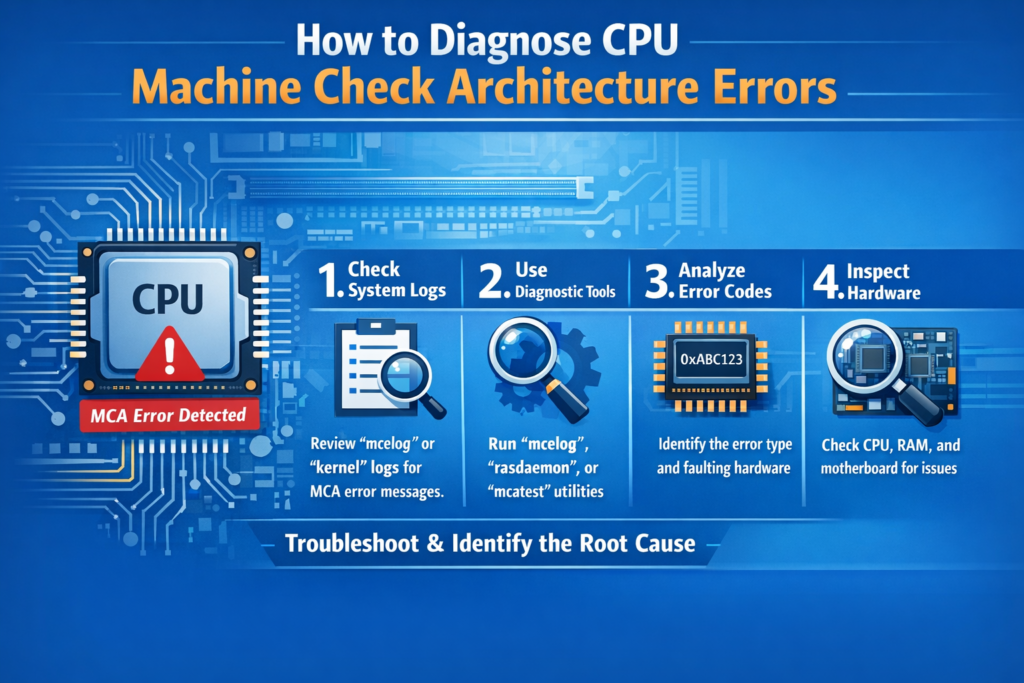
How to Diagnose CPU Machine Check Architecture Errors
Checking System Logs in Windows
Use Event Viewer to look for hardware errors under:
- Windows Logs → System
- Source: WHEA-Logger
Using Event Viewer and Minidump Files
Windows may create minidump (.dmp) files that can be analyzed with debugging tools to identify the faulty component.
Diagnosing MCA Errors in Linux
Linux users can check logs using commands like:
dmesg | grep -i mce
Tools such as mcelog or rasdaemon provide additional insights.
Monitoring CPU Temperature and Voltage
Use hardware monitoring tools to check CPU temperature, voltage levels, and fan performance.
Solutions to Fix CPU Machine Check Architecture Error Dumps
Fixing Overheating and Cooling Problems
- Clean dust from fans and heatsinks
- Replace thermal paste
- Improve airflow inside the case
- Ensure the CPU cooler is mounted correctly
Testing and Replacing Faulty RAM
Run memory diagnostics tools such as MemTest86 and replace any failing memory modules.
Disabling Overclocking Settings
Reset BIOS settings to default and turn off CPU or memory overclocking to restore stability.
Updating BIOS and System Drivers
Install the latest BIOS update and chipset drivers from the manufacturer’s official website.
Checking Power Supply Stability
Ensure the power supply delivers sufficient wattage and stable voltage. Replace it if necessary.
When Hardware Replacement Is Necessary
If errors persist after troubleshooting, the CPU, motherboard, or RAM may need to be replaced.
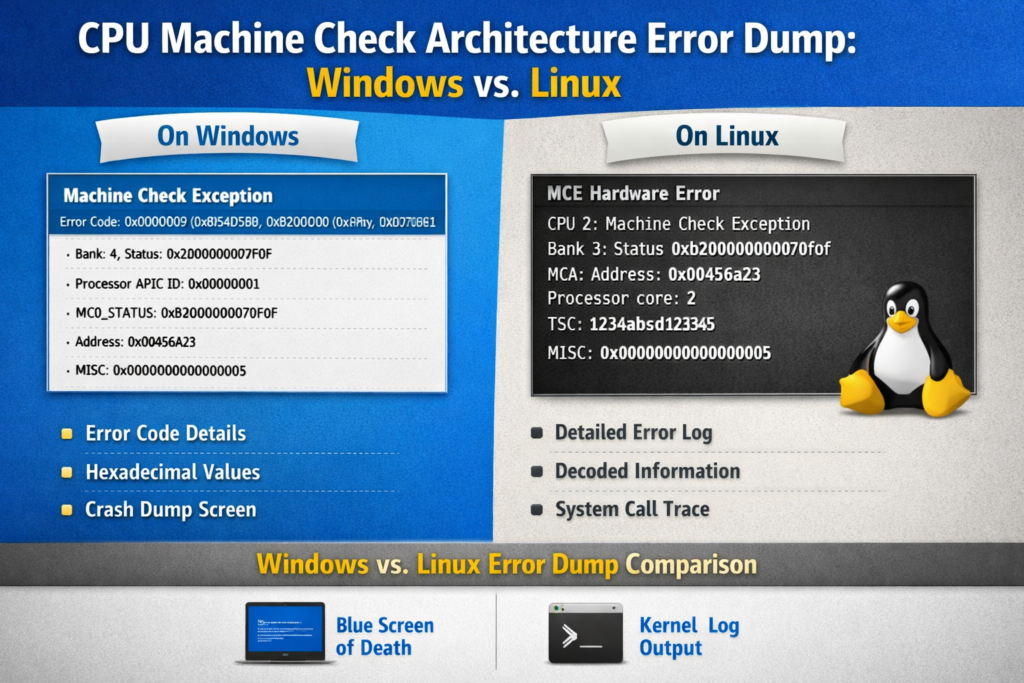
CPU Machine Check Architecture Error Dump in Windows vs Linux
Differences in Error Reporting
Windows reports MCA errors via WHEA logs and blue-screen messages, while Linux logs them directly to the system log.
Tools Used for Troubleshooting
Windows relies on Event Viewer and dump analyzers, whereas Linux uses command-line tools and kernel logs.
Best Practices for Each Operating System
Keeping firmware up to date and monitoring hardware health are essential on both platforms.
Can CPU Machine Check Architecture Errors Be Prevented?
Maintaining Proper Cooling and Airflow
Regular cleaning and proper cooling significantly reduce the risk of hardware errors.
Regular Hardware Health Monitoring
Monitoring temperatures, voltages, and system performance helps detect problems early.
Safe System Configuration Practices
Avoid aggressive overclocking and use compatible, high-quality hardware components.
When to Seek Professional Technical Support
Signs of Serious Hardware Failure
Repeated crashes, failure to boot, or errors even after clean installations indicate deeper hardware issues.
Data Backup and Safety Measures
Always back up important data before troubleshooting or replacing hardware.

FAQs
Is a CPU Machine Check Architecture Error Dangerous?
Yes, it can indicate serious hardware issues that may lead to data loss or permanent damage if ignored.
Can Software Cause This Error?
While primarily hardware-related, outdated firmware or drivers can contribute to the problem.
Does This Error Always Mean a Faulty CPU?
Not necessarily. RAM, power supply, motherboard, or overheating can also be responsible.
Can This Error Lead to Data Loss?
Yes, sudden crashes or system shutdowns can result in corrupted or lost data.
Final Thoughts on CPU Machine Check Architecture Error Dumps
A CPU Machine Check Architecture Error Dump is a severe warning that should not be ignored. It signals underlying hardware instability that can affect system performance, reliability, and data integrity. By understanding the symptoms, identifying the causes, and applying proper solutions, users can restore system stability and prevent long-term damage.
Keeping your system cool, up to date, and properly configured is the best way to avoid these errors and ensure reliable performance.