What Should CPU Utilization Be? Complete Guide

What should CPU utilization be for a normal computer user? This question often comes up when a system feels slow or starts heating up. CPU utilization shows how much of your computer’s processor is being used at a given time. In normal conditions, CPU usage stays low when the system is idle and increases only during tasks like browsing, gaming, or video editing. Understanding the right CPU usage range helps you keep your computer fast, stable, and healthy over the long term.
What Is CPU Utilization?
CPU utilization means how much of your computer’s processor is being used at a given time. The CPU is the brain of your computer and handles tasks such as opening apps, loading websites, and running software. CPU utilization is shown as a percentage. A low percentage means the CPU is free and working efficiently. A high percentage indicates the CPU is busy running multiple tasks simultaneously. Understanding CPU utilization helps you determine whether your system is running smoothly or experiencing performance problems.
What Does CPU Utilization Measure?
CPU utilization measures how much processing power your system is using at any given time. It shows how busy the CPU is while handling tasks. For example, light work like browsing uses less CPU, while gaming or video editing uses more. This value helps you understand if your CPU has enough power or is under heavy load.
Why CPU Utilization Matters for Performance
CPU utilization directly affects system speed and stability. If CPU usage stays too high, your computer may slow down, freeze, or heat up. Balanced CPU utilization means better performance, faster response, and a smoother experience. Monitoring CPU usage helps keep your system healthy and reliable over time.
What Should CPU Utilization Be?
CPU utilization depends on what you are doing on your computer. In simple words, CPU usage should stay low when your system is idle and increase only when you run heavy tasks. For everyday users, balanced CPU utilization means smooth performance, less heat, and better system health. If CPU usage stays high without any heavy work, it usually points to a software or background issue that needs attention.
Ideal CPU Utilization Percentage
- Idle (no apps open): 1% – 10%
- Light tasks (browsing, emails, videos): 10% – 30%
- Regular work (office apps, coding): 30% – 50%
- Heavy tasks (gaming, editing, rendering): 50% – 80%
These ranges show that your CPU is working normally and efficiently.
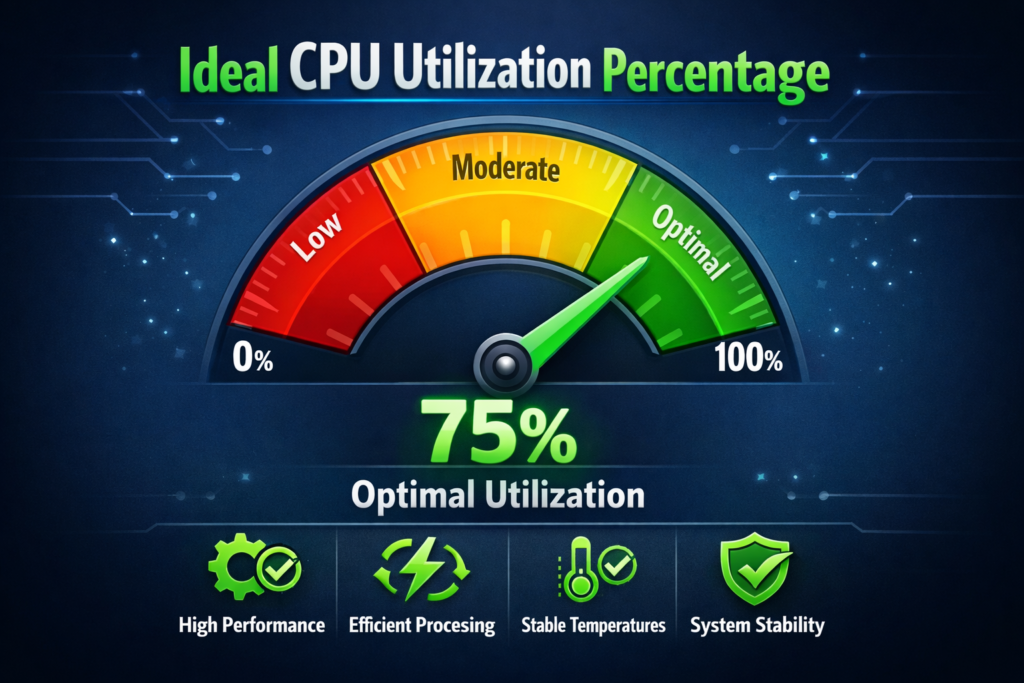
Safe CPU Utilization Range
For long-term use, keeping CPU utilization below 80% most of the time is considered safe. Short spikes to 90%–100% are regular during heavy work, but constant high usage can cause overheating, slow performance, and hardware stress. Staying within the safe range helps your computer last longer and run more smoothly.
Normal CPU Utilization for Different Activities
CPU utilization changes based on what you are doing on your computer. Light tasks use very little CPU power, while heavy tasks push the processor harder. Knowing what is normal for each activity helps you determine whether your system is working correctly or experiencing a problem.
CPU Utilization When Idle
When your computer is on but no apps are running, CPU utilization should stay between 1% and 10%. Small background tasks, such as system services, may use a small amount of CPU, which is normal. If usage remains high while the device is idle, it may indicate background apps, updates, or malware.
CPU Utilization for Daily Use
For everyday tasks such as web browsing, video watching, or office work, CPU utilisation usually stays between 10% and 40%. Short jumps are normal when opening apps or loading pages. This level shows your CPU is handling tasks smoothly without stress.
CPU Utilization While Gaming
Gaming uses more CPU power, especially in modern games. Normal CPU utilization while gaming is usually 50% to 80%, depending on the game and system. Higher usage is expected and safe as long as temperatures remain under control.
CPU Utilization for Video Editing and Rendering
Video editing, 3D work, and rendering are heavy tasks that entirely use the CPU. During these activities, CPU utilization can reach 80% to 100%. It is expected, but it should not stay at maximum usage all the time outside of such tasks.
Is High CPU Utilization Always Bad?
High CPU utilization is not always a bad thing. It simply means your processor is working hard. In many cases, this is expected. The real problem starts when CPU usage remains high without an apparent reason or persists for long periods.
When High CPU Usage Is Normal
High CPU usage is normal during tasks that need a lot of processing power. This includes gaming, video editing, rendering, software updates, and significant file compression. In these situations, CPU utilization may reach 70% to 100% for a short time. As long as your system stays responsive and temperatures are safe, this level of usage is not a concern.
When High CPU Usage Is a Problem
High CPU usage becomes a problem when it happens during idle time or simple tasks like browsing. If your CPU stays near 90% or 100% with no heavy programs open, it can indicate background apps, software bugs, or malware. This often leads to slow performance and system instability.
What Happens If CPU Utilization Is Too High?
Keeping CPU utilization very high for long periods can affect both performance and hardware health. Below are the most common problems users face.
System Slowdowns and Lag
When the CPU is overloaded, it cannot handle tasks smoothly. This causes apps to respond slowly, freeze, or crash. Multitasking becomes difficult, and even basic actions may feel delayed.
Overheating and Hardware Stress
High CPU usage increases heat. If cooling is not enough, the CPU may overheat. This can lead to thermal throttling, where the system slows itself down to avoid damage. Over time, constant heat puts stress on internal components.
Reduced System Lifespan
Running at high CPU utilization for long periods can shorten the lifespan of your processor and other hardware. Balanced usage helps maintain your computer’s performance, stability, and long-term reliability.
Why Is My CPU Utilization High? (Common Causes)
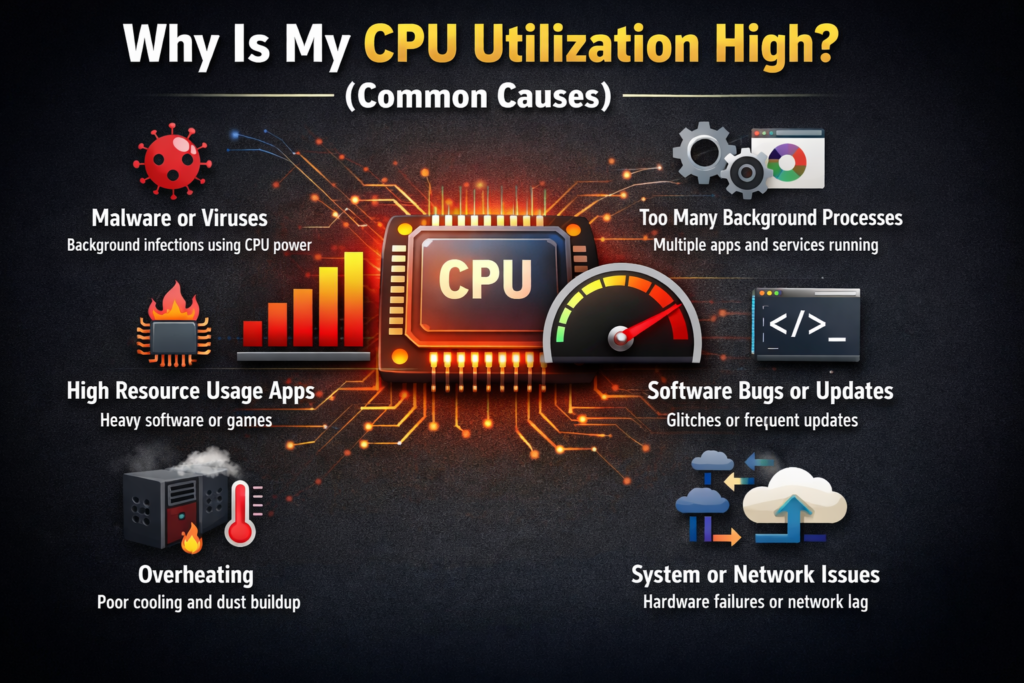
High CPU utilization usually indicates that your system is handling more work than expected. Sometimes this is normal, but often it is caused by hidden or unwanted processes. Understanding the common reasons helps you find and fix the problem quickly.
Background Applications
Many apps keep running in the background even when you are not using them. Browsers with many tabs, cloud sync tools, and messaging apps can silently use CPU power. Over time, these background applications can raise CPU utilization and slow down your system.
Malware or Viruses
Malware and viruses often run hidden processes that consume excessive CPU resources. If CPU usage stays high during idle time, a virus or malicious program could be the reason. Regular antivirus scans help keep your system safe and CPU usage under control.
Startup Programs
Some programs start automatically when your computer turns on. Too many startup programs can push CPU utilization to high levels right from boot. Turning off unnecessary startup apps can improve performance and reduce CPU load.
Software Bugs or Updates
Faulty software or stuck system updates can cause continuous high CPU usage. Sometimes an app may not close properly or keep running in a loop. Keeping your system and software up to date helps prevent such issues.
How to Check CPU Utilization on Your Computer
Checking CPU utilization is easy and helps you understand what is using your system resources.
How to Check CPU Usage on Windows
Press Ctrl + Shift + Esc to open Task Manager. Click the Performance tab, then select CPU. Here, you can see real-time CPU usage and which apps are using the most processing power.
How to Check CPU Usage on Mac
Click the Apple menu, go to Utilities, and open Activity Monitor. Select the CPU tab to view current CPU usage and running processes. It helps you identify apps that are using too much CPU.
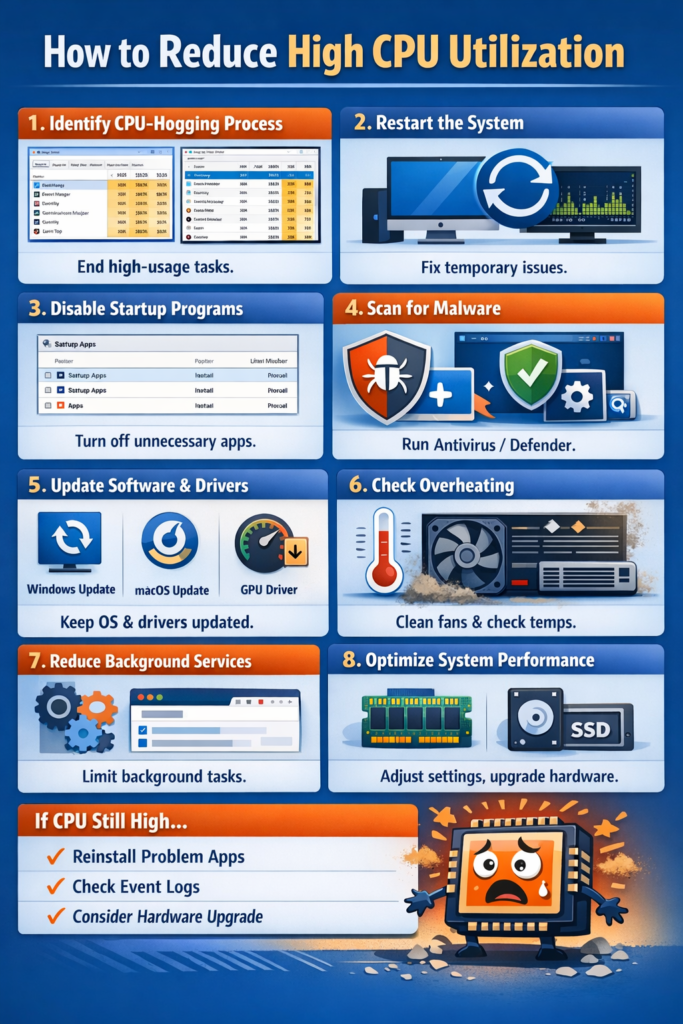
How to Reduce High CPU Utilization
If your CPU utilization stays high and slows down your system, a few simple steps can help fix the problem. These solutions are easy to follow and work for most users.
Close Unnecessary Programs
Running too many apps at once puts extra load on your CPU. Close programs and browser tabs you are not using. It frees up CPU power and helps your system run faster and smoothly.
Disable Startup Applications
Many programs start automatically when your computer boots. These apps increase CPU usage in the background—Disable unnecessary startup programs to reduce CPU load and improve system startup speed.
Update Drivers and Software
Outdated drivers or software can cause high CPU usage due to bugs or poor optimisation. Keeping your operating system, drivers, and apps up to date helps your CPU run more efficiently and prevents performance issues.
Scan for Malware
Malware often runs hidden processes that use high CPU power. Run a full antivirus scan to detect and remove any threats. A clean system usually shows lower, more stable CPU Utilization.
CPU Utilization vs CPU Temperature (Important Difference)
CPU Utilization and CPU temperature are related but not identical. Understanding the difference helps you protect your system from damage.
How CPU Usage Affects Temperature
When CPU utilization increases, the processor works harder and produces more heat. Heavy tasks like gaming or rendering raise both CPU usage and temperature. It is normal for short periods if cooling is working correctly.
Safe CPU Usage and Temperature Balance
Safe CPU usage means keeping utilization within normal limits while maintaining safe temperatures. Good airflow, proper cooling, and balanced workload help prevent overheating. Monitoring both CPU usage and temperature ensures long-term system health and stable performance.
Is 100% CPU Utilization Safe?
Yes, 100% CPU utilization can be safe, but only in specific situations and for short periods. During heavy tasks like gaming, video editing, rendering, or software updates, it is normal for the CPU to use all available power. Modern processors are designed to handle full load when needed.
However, if your CPU stays at 100% usage for a long time, especially during simple tasks or idle time, it can cause slow performance, overheating, and system instability. In such cases, you should check background apps, software issues, or malware.
Best CPU Utilization for Long-Term System Health
For long-term system health, CPU utilization should stay below 70–80% most of the time. Short spikes to higher levels are regular, but constant heavy usage puts stress on the processor and cooling system. Balanced CPU usage keeps temperatures lower, improves performance, and helps your computer last longer. Regularly monitoring usage ensures a smooth, reliable computing experience.
FAQs
What is a safe CPU utilization percentage?
A safe CPU utilization percentage for most systems is below 80% during regular use. When your computer is idle or doing light tasks, CPU usage should stay much lower. Short periods of higher usage during heavy work are regular and safe.
Is high CPU utilization bad for gaming?
No, high CPU usage during gaming is normal. Most games use a lot of processing power. As long as your system stays cool and smooth, high usage is safe.
How long can a CPU run at high utilization?
A CPU can run at high utilization for short periods without issues. Long-term usage above 80–90% may cause heat buildup and should be avoided for system health.
Can high CPU usage damage my computer?
High CPU usage alone does not damage your computer. The real risk comes from overheating over long periods. If cooling is poor and CPU usage stays high, it can reduce performance and shorten hardware lifespan.
Does CPU utilization affect computer speed?
Yes, very high CPU utilization can slow down your system. When the CPU is overloaded, apps may lag or freeze. Balanced usage keeps performance smooth.
Can upgrading RAM reduce CPU utilization?
In some cases, yes. Low RAM forces the CPU to work harder. Adding more RAM can reduce CPU load, especially during multitasking.
Should CPU utilization always be low?
No, CPU utilization changes based on tasks. Low usage is normal during idle time, while high usage is expected during heavy work like editing or gaming.
Is CPU utilization the same as CPU temperature?
No. CPU utilization shows workload, while CPU temperature shows heat level. High usage often increases temperature, but both should be monitored separately.