Why Is My CPU Overclocking Itself – A Complete and Simple Explanation
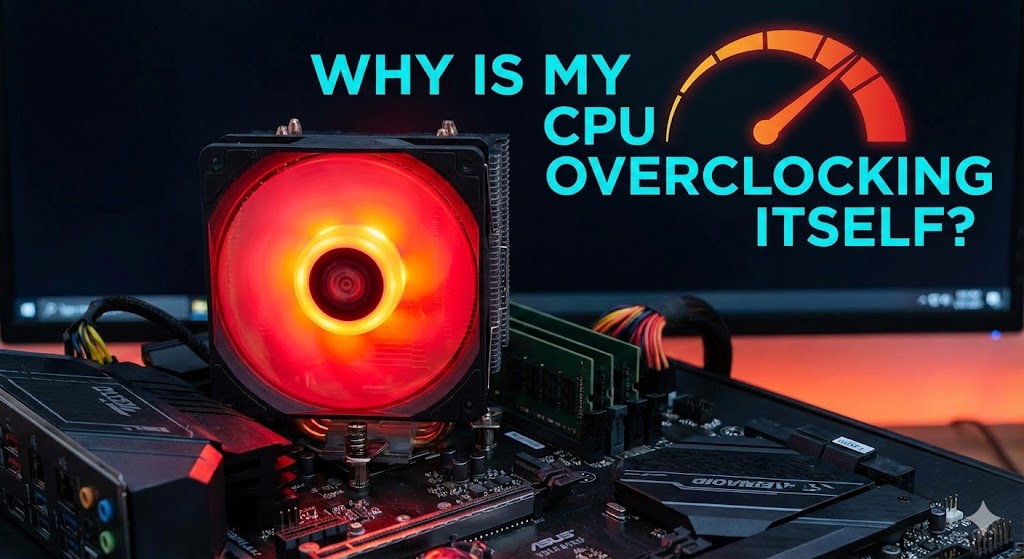
Modern computers feel smart, but sometimes they act confusingly. One common concern is a sudden spike in CPU usage with no apparent cause. If you keep asking Why Is My CPU Overclocking Itself, you’re already thinking like a careful user. This issue usually connects to automatic performance boosting, hidden BIOS settings, or built-in power management rules. The goal is speed, not harm, but the result often feels risky. High heat, loud fans, or random slowdowns scare many users. This guide explains the real reason in plain English and shows how to stay safe. Everything here focuses on control, stability, and long-term system health.
What CPU Overclocking Really Means in Daily Use
At its core, CPU overclocking means running the processor faster than its base speed. That sounds dramatic, but modern chips adjust speed constantly. When users ask, “Why Is My CPU Overclocking Itself?” the answer often lies in dynamic clock speeds and smart boost technology. Your CPU reacts to workload like a car pressing the gas uphill. Light tasks stay slow. Heavy tasks trigger speed. This behaviour is normal and often safe.
However, confusion starts when the speed stays high for no apparent reason. Some systems treat “automatic” as permission to push limits. That’s where thermal headroom, voltage, and firmware rules come into play. Over time, heat and stress can build quietly. Understanding this behaviour helps you decide when speed helps and when it hurts. Knowledge keeps hardware healthy longer.
Why Is My CPU Overclocking Itself Without Any Manual Change
This problem usually starts in the motherboard’s software. Many boards ship with auto overclocking enabled by default. Manufacturers assume users want instant performance. When people search for ‘Why Is My CPU Overclocking Itself,’ they rarely realise the system made that choice during the first boot. No warning appears. No permission is asked. The system boosts.
Another hidden cause comes from the operating system. Windows power plans often favour speed over balance. Background apps wake the CPU more than expected. Even a browser tab can trigger short boosts. These quick jumps feel random, but they follow rules. Once you see the pattern, the system feels predictable again.

Is It Normal or Dangerous When a CPU Overclocks Automatically
In many cases, automatic boosting is expected behaviour. CPU raise speed to finish work faster, then slow down again. When people ask, “Why Is My CPU Overclocking Itself?” they often confuse turbo boost, adaptive frequency, and real overclocking. These features protect performance while staying inside safe limits.
Trouble starts when speed stays high for long periods. Constant boosting increases heat output, raises voltage levels, and shortens component lifespan. Desktops handle this better than laptops. Knowing the difference between short boosts and forced overclocking helps you decide what action makes sense.
Clear Signs Your CPU Is Overclocking Itself Too Much
The first warning sign is rapid, even during light use, heat. Fans spin louder. The system feels warm to the touch. These symptoms point to thermal stress, not normal boosting. Many users notice this while browsing or watching videos, which should not push limits.
Another sign appears as random slowdowns or crashes. High speed sounds good, but unstable power causes errors. If you keep wondering, “Why Is My CPU Overclocking Itself?” these signs confirm it’s time to check your settings. Ignoring them often leads to long-term damage.
Difference Between Turbo Boost and Real Overclocking
Turbo boost works within factory safety rules. It briefly raises speed, then backs off. Real overclocking removes limits and pushes hardware to its limits. The confusion fuels searches like Why Is My CPU Overclocking Itself. One is controlled and temporary. The other demands careful management.
Why Is My CPU Overclocking Itself Inside BIOS Settings
Most automatic overclocking begins in the BIOS. Many motherboards enable performance profiles, automatic voltage control, or smart tuning by default. These settings aim to impress users with speed. When someone searches for “Why Is My CPU Overclocking Itself,” BIOS is often the hidden answer. The system boosts without asking because it assumes performance matters most.
Another common trigger is memory tuning. Enabling high-speed RAM profiles often nudges the CPU too. This chain reaction silently raises clock speed. BIOS updates can also reset safe limits. Reviewing these settings restores balance and keeps temperatures under control.
Why Is My CPU Overclocking Itself in Windows
Windows also play a role. The High Performance power plan keeps the CPU active. It reduces idle states and increases power draw. Even small background tasks can keep the speed high. This behaviour explains why users see high clocks while doing nothing.
Software adds another layer. Game launchers, update tools, and monitoring apps often wake the CPU. These short bursts stack up. If you keep asking, “Why is my CPU overclocking itself?” checking power plans and startup apps usually reveals the cause.
How to Stop CPU Overclocking Safely
The safest fix starts with balance. Switch to a balanced power plan. In the BIOS, turn off auto-tuning and set the limits manually. IT doesn’t reduce performance much. It restores thermal stability and long-term reliability.
How to Check If Your CPU Is Overclocking Itself
Before fixing anything, you need clarity. Open Task Manager and watch the CPU speed while doing nothing. If the speed stays far above the base value, something is pushing it. This step answers the question “Why Is My CPU Overclocking Itself?” more clearly than guessing. Numbers never lie.
For deeper insight, monitoring tools provide real-time data on frequency, temperature, and voltage. Watch patterns, not spikes. Short boosts are regular. Long boosts signal trouble. Seeing this behaviour builds confidence and prevents unnecessary changes. Knowledge replaces fear with control.
Safe CPU Temperatures and Clock Speeds Explained Simply
Every CPU has limits, but safe ranges stay similar. Idle temperatures should feel cool. Under load, warmth is expected, not burning heat. High clock speed without heavy work raises concern. It often explains why Is My CPU Overclocking itself for careful users.
Desktop CPU tolerate more heat than laptops. Laptops trap heat fast and throttle late. Staying within safe limits protects performance over the years. Cooling matters as much as speed. Balance always wins in the long term.
Gaming and Laptop Auto Overclocking Risks
Games push CPU hard. Auto boosting helps frame rates but stresses cooling. Laptops suffer more because airflow is limited. Constant boosting drains batteries and ages parts faster.
Should You Allow Automatic CPU Overclocking or Not
Automatic boosting helps users who want speed without having to tweak settings. It works well on desktops with strong cooling and stable power delivery. Features like smart frequency scaling and thermal limits keep performance smooth. For creators and gamers, this convenience often feels worth it.
However, long-term safety matters more than short bursts of speed. Constant boosting raises heat cycles and power stress. Laptops and small PCs suffer most. Disabling auto features gives calmer temperatures and quieter systems. Stability usually improves. Performance loss stays minimal.
Common Myths That Confuse CPU Overclocking
Many believe higher speed always means better performance. That’s false. Real gains depend on workload, cooling, and balance. Another myth claims that all overclocking damages hardware. Controlled behaviour stays safe within manufacturer limits and voltage safeguards. Fear comes from misunderstanding, not facts.

Quick Comparison of Normal vs Problematic CPU Behavior
| Behavior Type | Speed Pattern | Heat Level | Risk Level |
|---|---|---|---|
| Normal Boost | Short bursts | Warm | Low |
| Auto Overclock | Long boosts | Hot | Medium |
| Manual Overclock | Constant | Very hot | High |
Final Thoughts on CPU Auto Overclocking
Computers aim to be fast, not reckless. Automatic boosting exists to help, not harm. Problems appear when limits stay unchecked. Watching temperature, noise, and stability tells the real story. Control doesn’t mean slowing down. It means choosing balance.
A calm system lasts longer. Performance stays consistent. Once you understand the behaviour, fear fades. Smart settings turn confusion into confidence. That’s how reliable computing begins.
FAQs
Why is my CPU speed higher than the base speed?
It happens because the base speed is only the minimum guaranteed level. Modern CPUs are designed to go faster when needed. When users wonder, “Why is my CPU overclocking itself?” the reason is often built-in boost behaviour that improves performance during tasks.
Why does my CPU overclock even when I am not gaming?
Background apps, updates, or system services can briefly wake the CPU. Even simple actions like opening a browser tab can trigger automatic boosting. This behaviour feels random, but it follows internal rules meant to keep your system responsive.
Is automatic CPU overclocking the same as manual overclocking?
No, they are very different. Automatic boosting stays within manufacturer safety limits. Manual overclocking removes those limits and needs careful tuning. Confusing these two causes many people to ask Why Is My CPU Overclocking Itself when nothing is actually wrong.
Can automatic CPU overclocking damage my CPU?
Short boosts are usually safe. Problems arise when high speed remains active for long periods, leading to heat buildup. Poor cooling increases risk. Monitoring temperature helps you decide whether action is needed or not.
How can I stop my CPU from overclocking itself?
You can switch to a balanced power plan in Windows and turn off auto-tuning in the BIOS. These changes reduce heat without affecting everyday performance. Control restores stability and keeps your system calm.
Does auto overclocking reduce CPU lifespan?
Heat and voltage cycles affect long-term health more than speed alone. Occasional boosting is fine. Constant boosting may shorten lifespan, especially in laptops. Balance protects performance over time.
Is auto overclocking bad for laptops?
Laptops have limited cooling space. Frequent boosting raises the temperature quickly. It can cause fan noise, battery drain, and throttling. Managing power settings helps laptops stay cooler and quieter.
Will turning off auto overclocking make my PC slow?
Most users notice little difference in daily tasks. The system may feel smoother and quieter instead. Stability often improves. Speed loss is usually minor compared to the benefit of lower heat.
How do I know if my CPU is boosting safely?
Watch temperature, clock speed, and behaviour together. Short speed jumps with controlled heat are normal. Constant high speed with rising heat signals a problem that needs attention.